Customers and growth
Fill every event. Chase fewer studios.
Every studio from first enquiry to paid, in one pipeline.
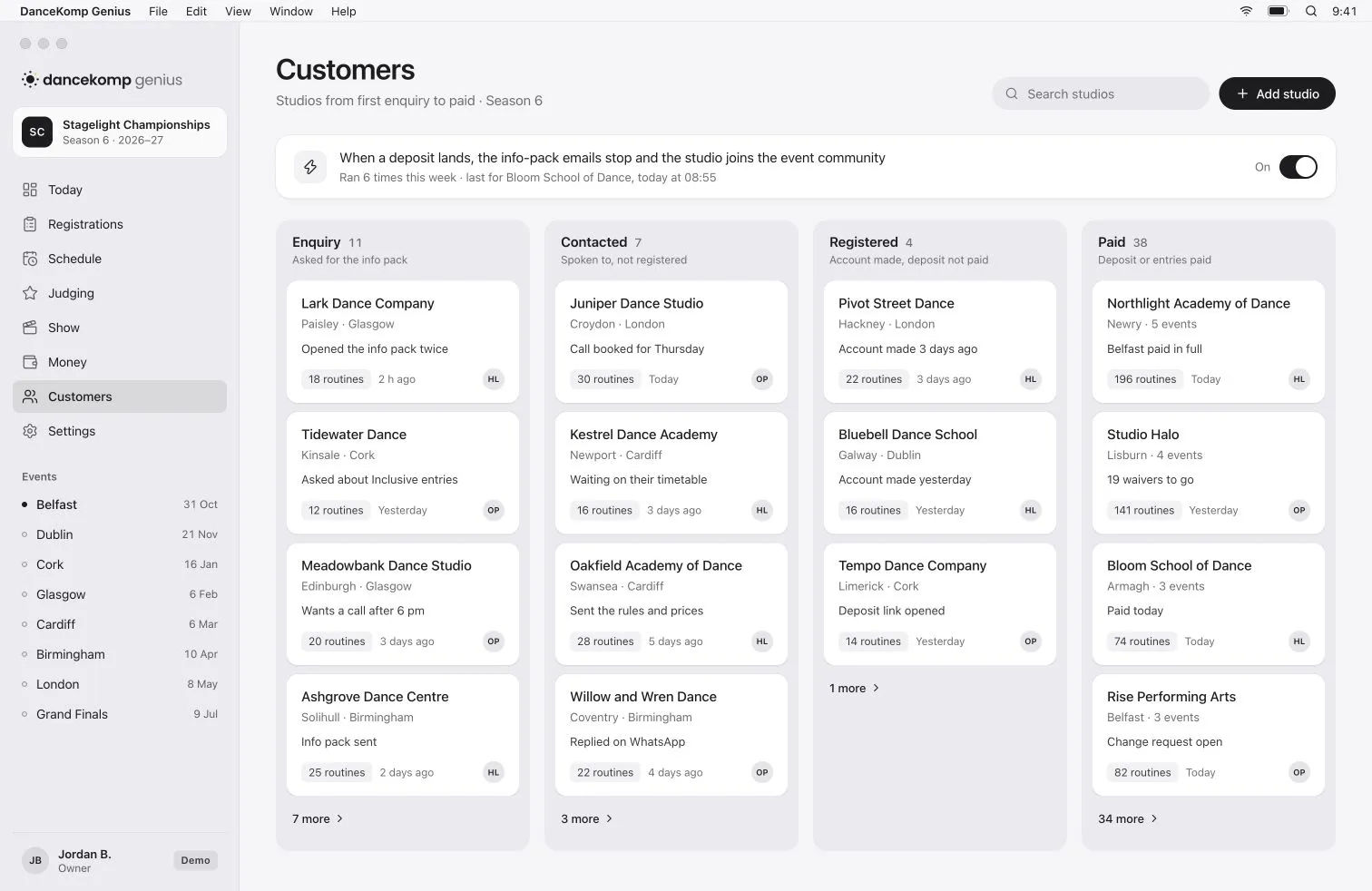

From first enquiry to paid.
Four stages in one view, so no studio is lost between them.
- 1
Enquiry
A studio asks for the info pack and lands in the pipeline with the event it wants.
- 2
Contacted
You’ve spoken. The next step and who owns it sit on the studio’s card.
- 3
Registered
An account made but no deposit yet: the studios that slip through elsewhere, in a column of their own.
- 4
Paid
The deposit lands, the info-pack emails stop and the studio joins the event community.
Reports
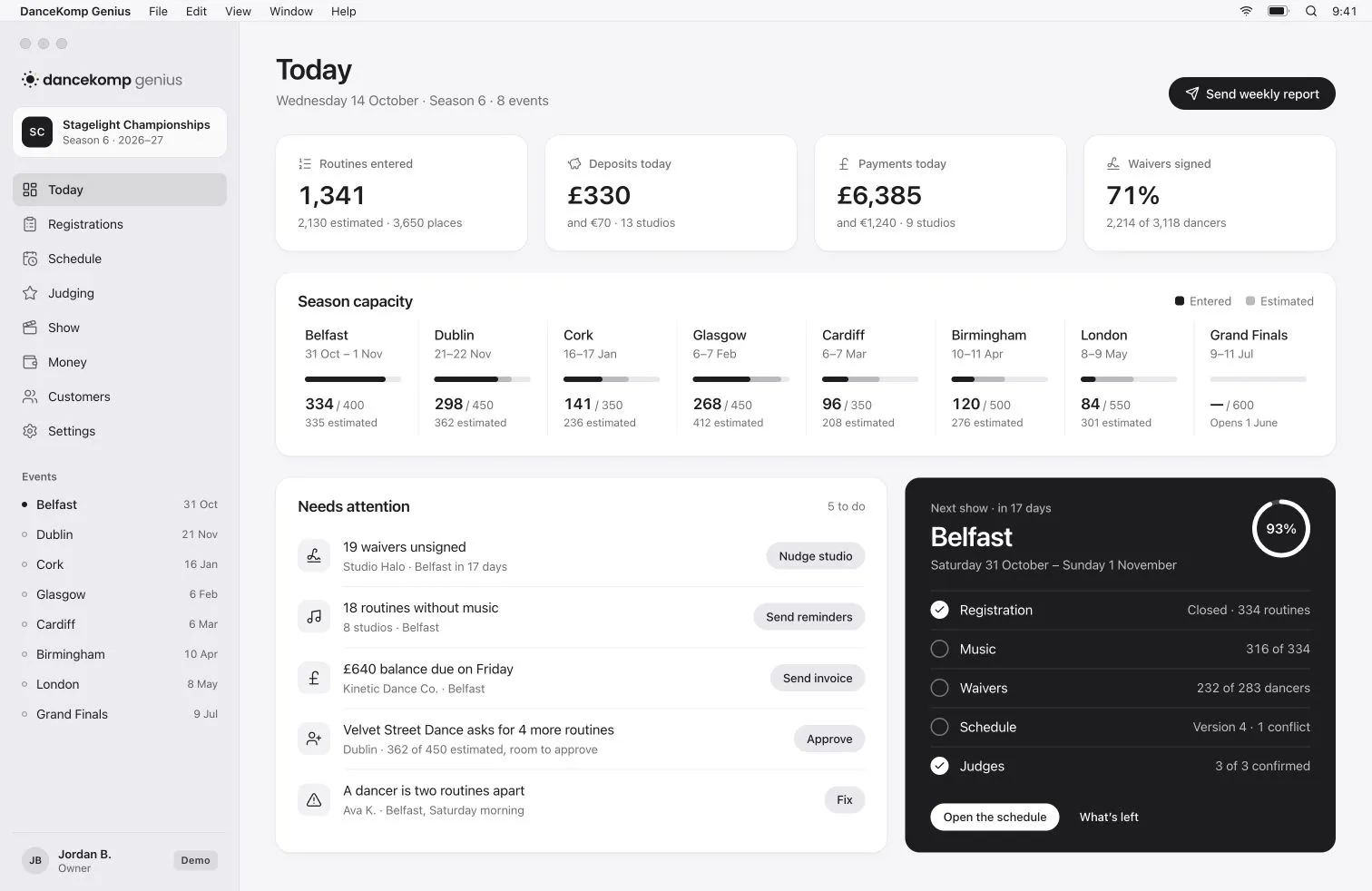
The weekly numbers.
In everyone’s inbox.
Routines, estimates, deposits, balances and waivers for every event, sent to your team by email.
Automations
The follow-ups, done for you.
-
Deposit paid, emails stop
When a deposit lands, the info-pack emails stop for that studio. Nobody has to remember.
-
Into the event community
Paid studios join the event’s community, ready for every update you send.
-
One inbox
Studio conversations in one place, with replies you write once and reuse.
-
A list for every follow-up
Registered but not paid, paid but no music: each has its own saved view.
-
Studios come back
Each studio’s passport carries its dancers and routines to your next event.
-
Your customers, yours
Export every studio and every entry whenever you want them.
Revenue
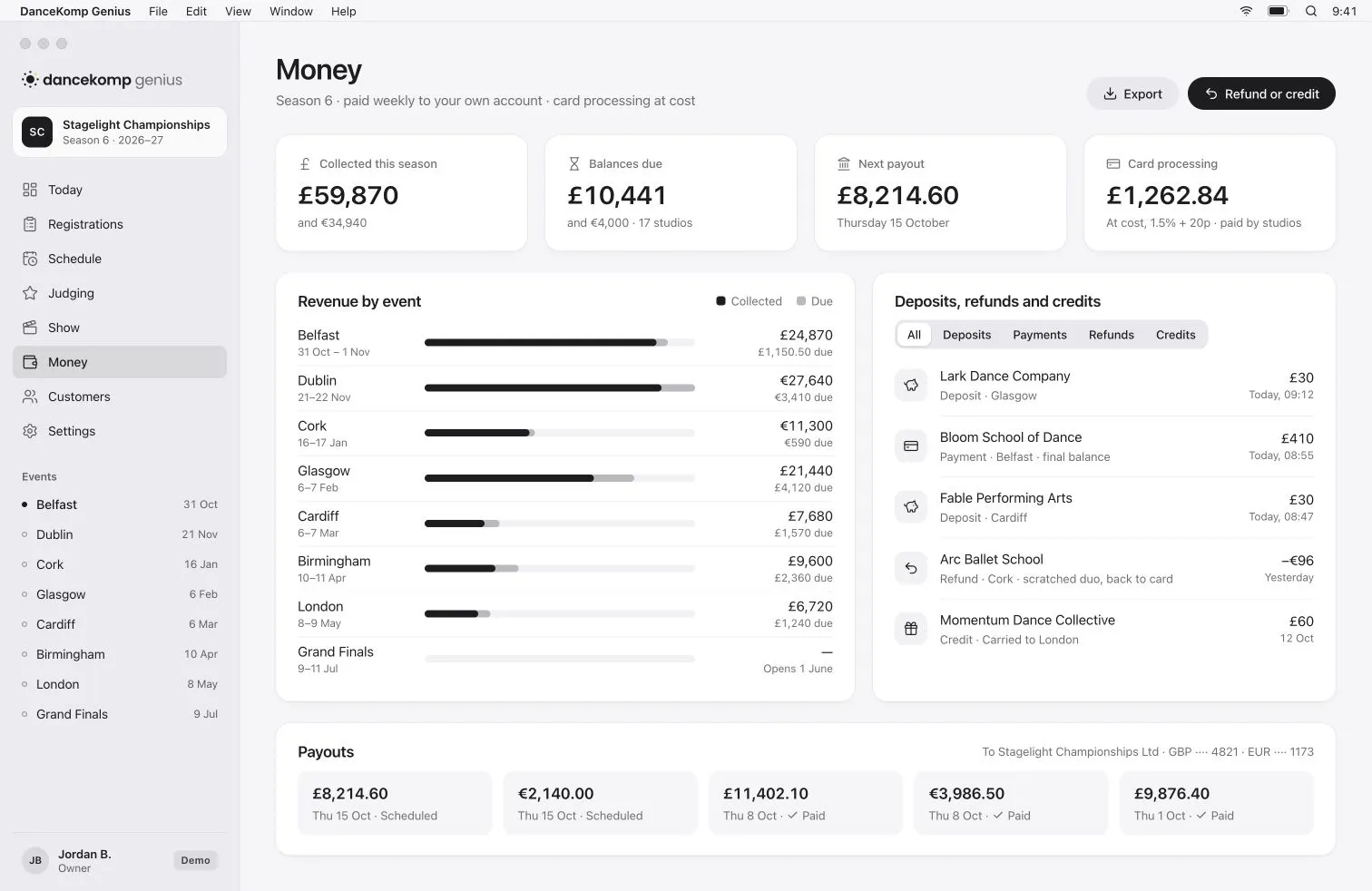
Every event’s takings.
At a glance.
Revenue by event, balances still due and your next payout, in pounds and euros.
Questions
Can we bring our existing contacts?
Do studios see the pipeline?
Can we export our customers?
More studios. Less chasing.
Book a demo, or create your organiser Genius ID and start today.