For judges
Score it. Say it. Send it.
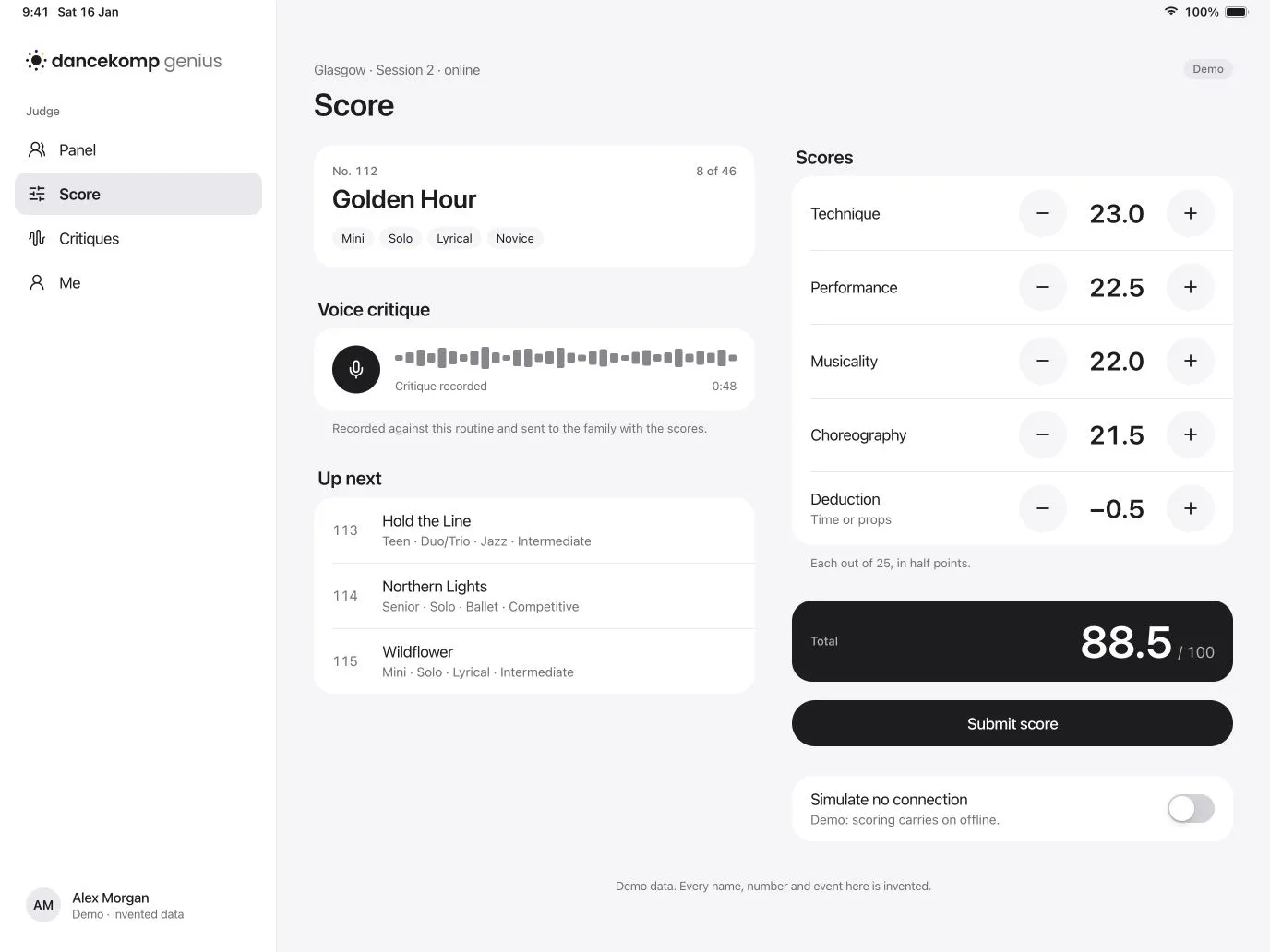
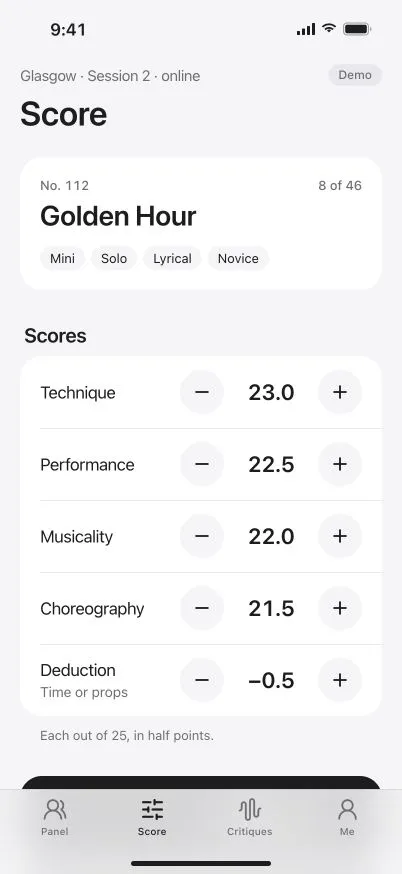
One calm scorecard on your iPad, online or off.


Your panel
Your sessions.
Your rubric.
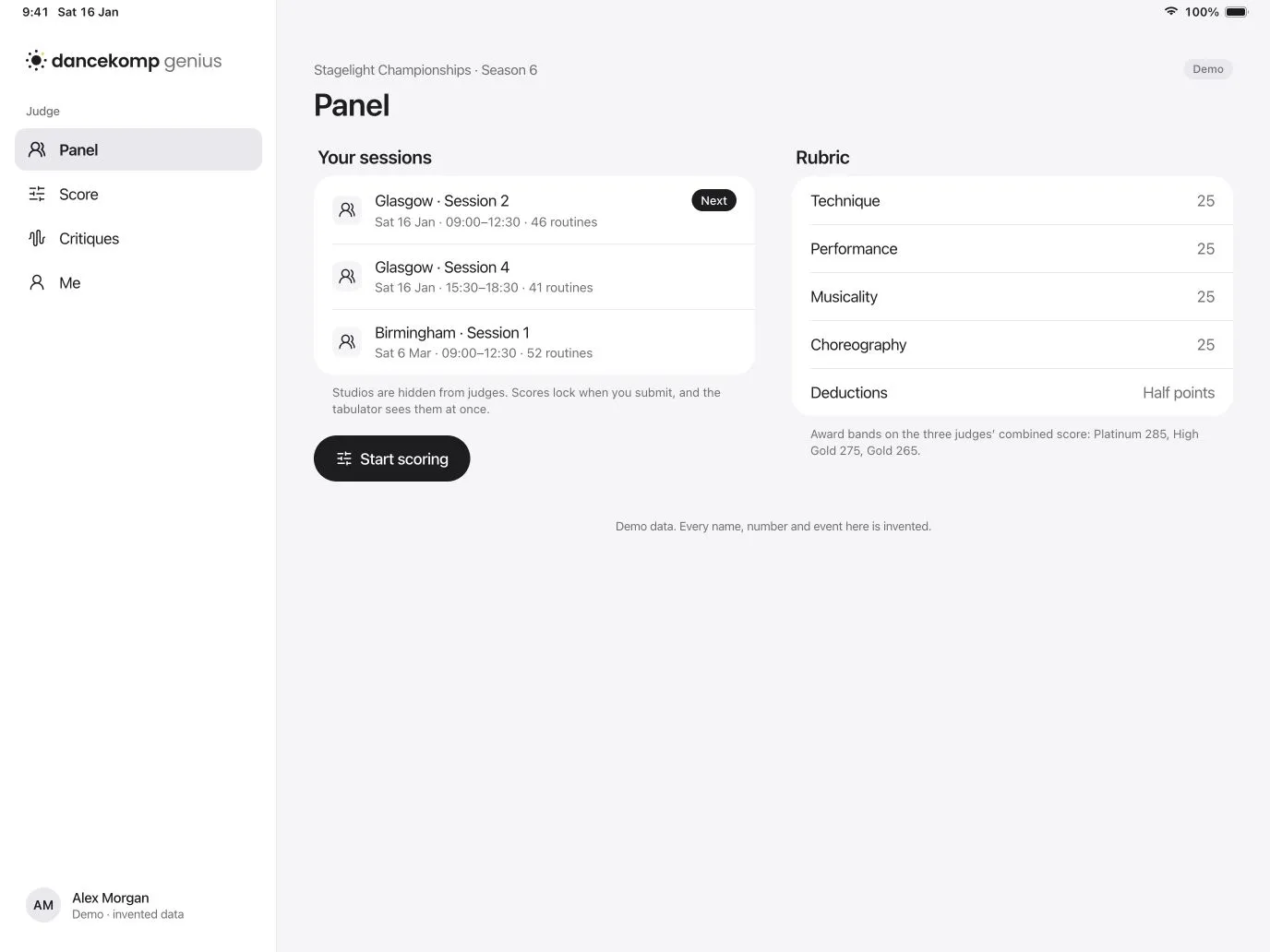
Each session and its rubric, before doors open.
-
Every session
Day, stage, times and how many routines, in order.
-
The rubric
Criteria, half points and deductions, as the organiser set them.
-
Studios hidden
You see the routine, not the studio, so every mark is about the dance.
Voice critiques
Critique as
you score.
Talk as you watch. It goes with your scores.
-
One tap to record
Talk while you watch. The critique is tied to that routine.
-
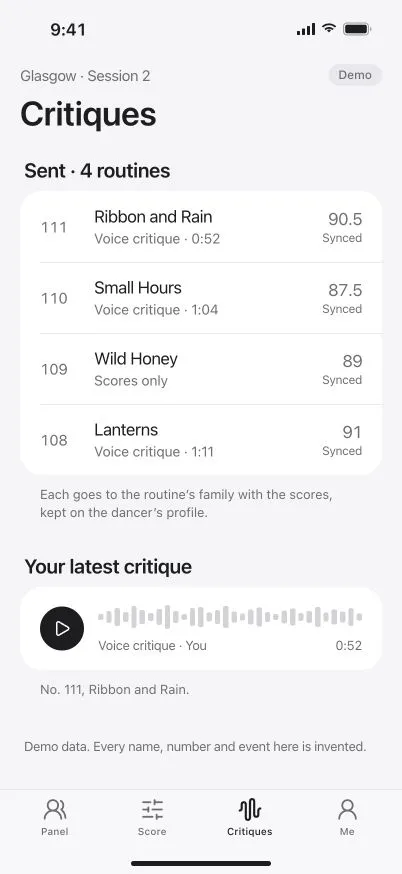
Sent with the marks
Families and studios get it with the result, within minutes.
-
Kept on the profile
Your words stay with the dancer, season after season.
Works offline
No Wi-Fi?
Keep scoring.
Scores wait on your iPad, then send themselves.
- Nothing to re-enter when the connection comes back.
- Synced or queued, shown against every routine you’ve sent.
- Voice critiques too, held with their scores until they can go.

Fair and on the record
Every mark, signed and kept.
-
Signed with your Genius ID
Every score and critique carries your Genius ID, for a clear audit trail.
-
Locked when you submit
The tabulator sees your scores at once, exactly as you sent them.
-
Panels from the organiser
Invitations arrive with your Genius ID, and your sessions follow.
Questions
How do I join a panel?
What if the connection drops mid-session?
Do I see which studio a routine is from?
What does it cost a judge?
Your next panel starts here.
Create your Genius ID, then add your invite code.