Get started Sign in

Already have a Genius ID? Sign in

Get the app

Every screen you own. One Genius ID.

One app for every role, on iPhone, iPad and Mac.
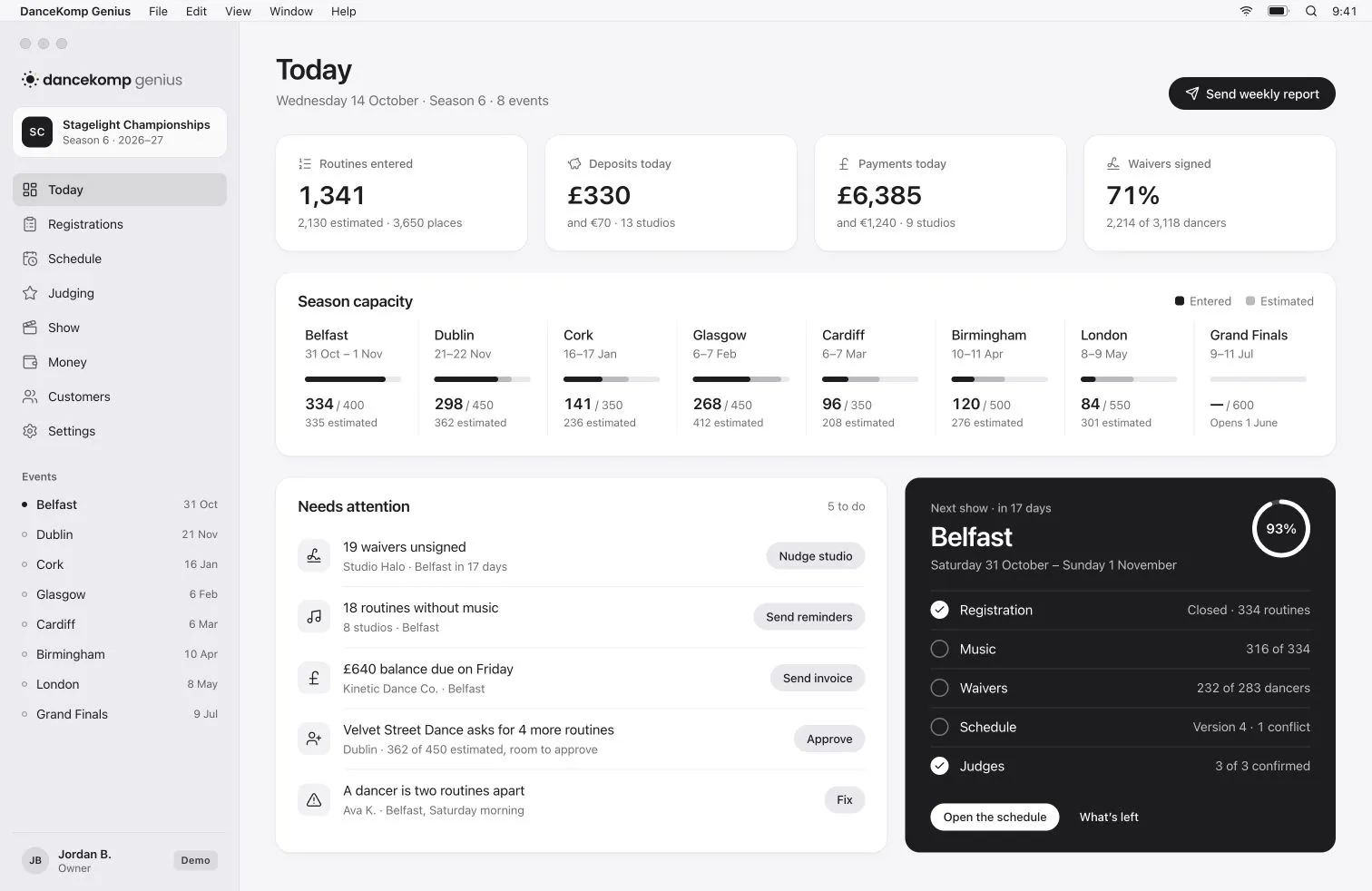
DanceKomp Genius on Mac: the organiser’s Today view for Stagelight Championships: routines entered, deposits and payments today, season capacity by event and what needs attention. Demo data.
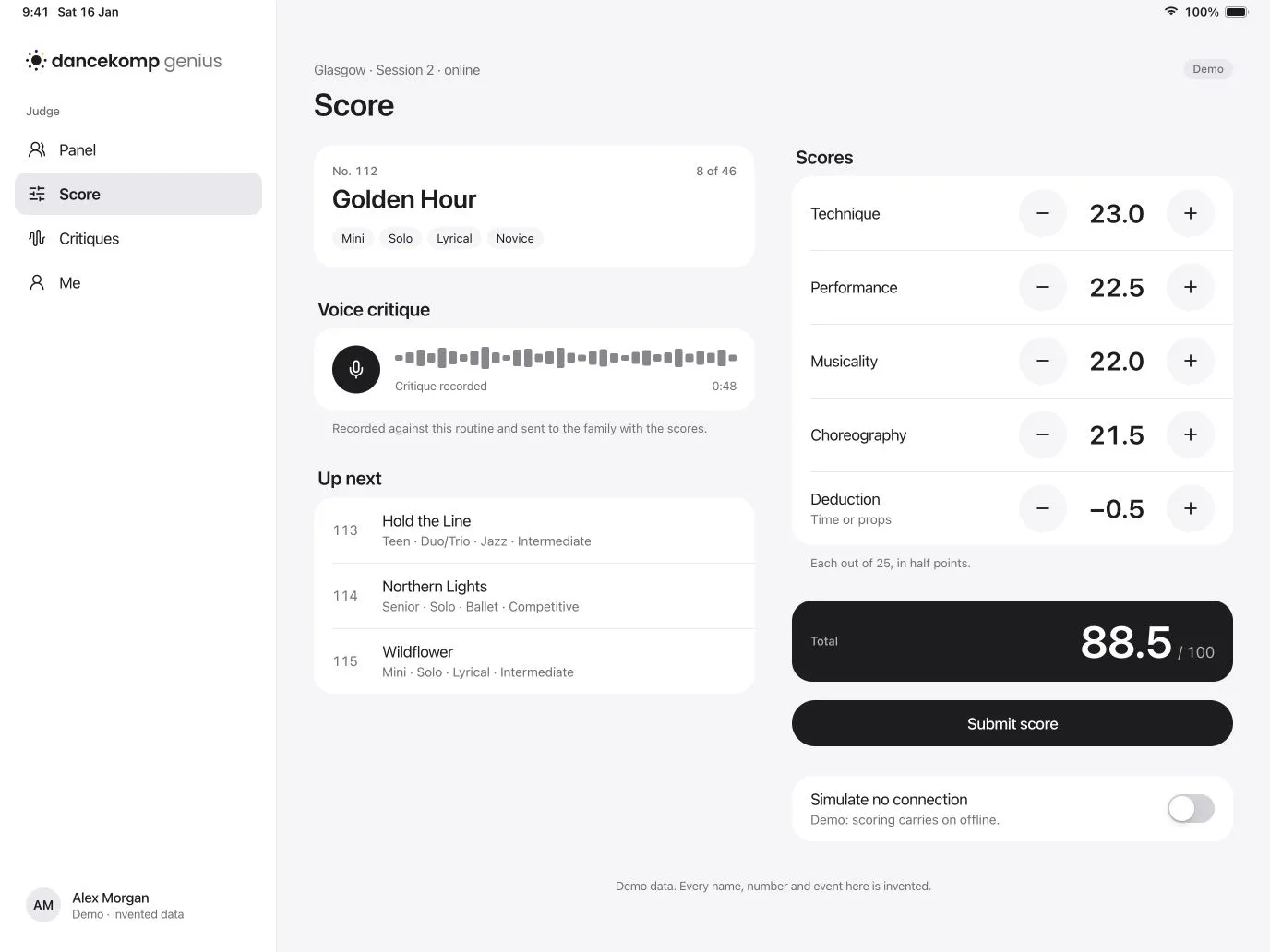
DanceKomp Genius on iPad: a judge scoring routine 112 across four criteria, with a voice critique. Demo data.
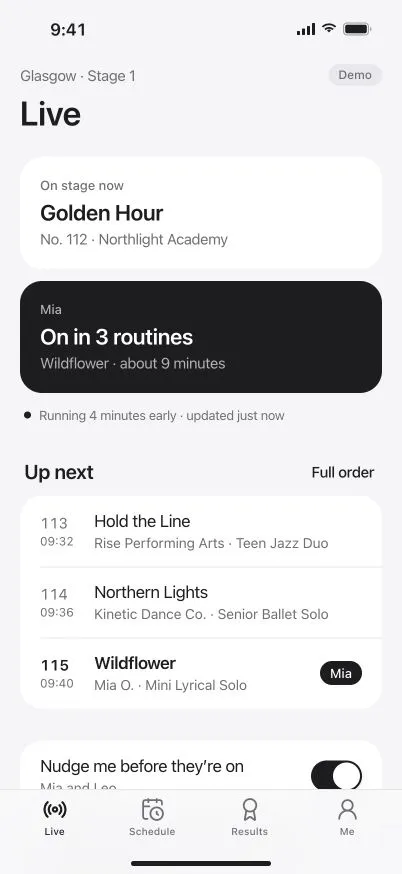
DanceKomp Genius on iPhone: the Live tab: on stage now, running four minutes early, and Mia on in three routines. Demo data.

Download

Get it on
every device.

From your store or your browser. The same Genius ID signs you in.

Scan, or choose your store

Point your phone’s camera at the code to open this page there.

Or open it in your browser
  • iPhone, iPad and Mac

    One app from the App Store, made for each screen.

  • Android

    The same app and features, from Google Play.

  • Windows

    Install the web app from your browser and pin it to your taskbar.

  • HarmonyOS

    The Android app on HarmonyOS 4, and the web app on every version.

What each role gets

One app. Your role decides the rest.

  • Families

    The live running order, a nudge before your dancer is on, and every result kept.

  • Studios

    One next step for each event, with routines, dancers and music to hand.

  • Judges

    A calm iPad scorecard and voice critiques that keep working offline.

  • Crew

    Show control, backstage check-in and the MC script, on iPhone or iPad.

  • Audiences

    Your ticket, the live order and the audience vote, in one place.

  • Organisers

    The whole season on your Mac, with your team on their phones.

On iPhone

One app.
Whatever your role.

Studios, crew and audiences each see what they need, and nothing they don’t.
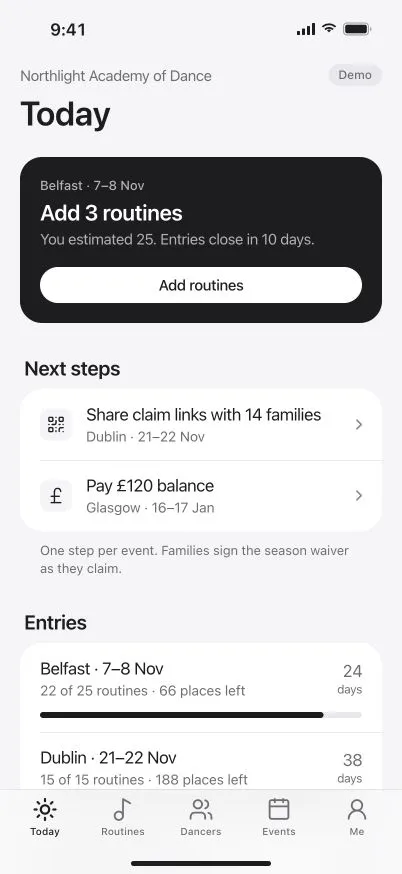
DanceKomp Genius on iPhone: a studio’s Today tab: one next step for each event and routines entered against estimates. Demo data.
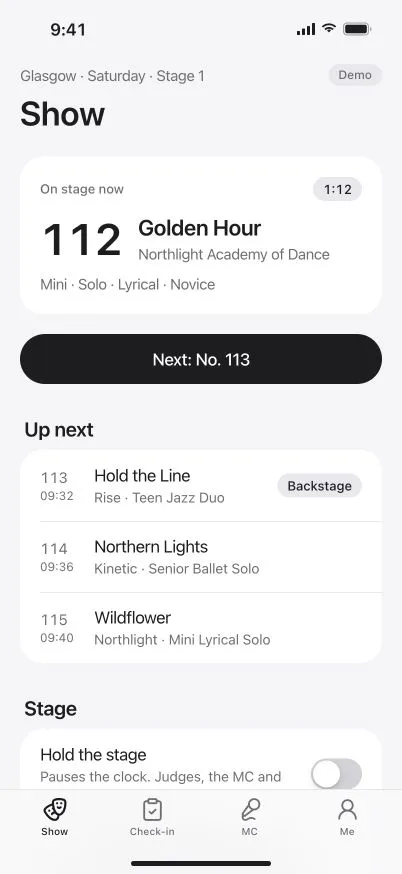
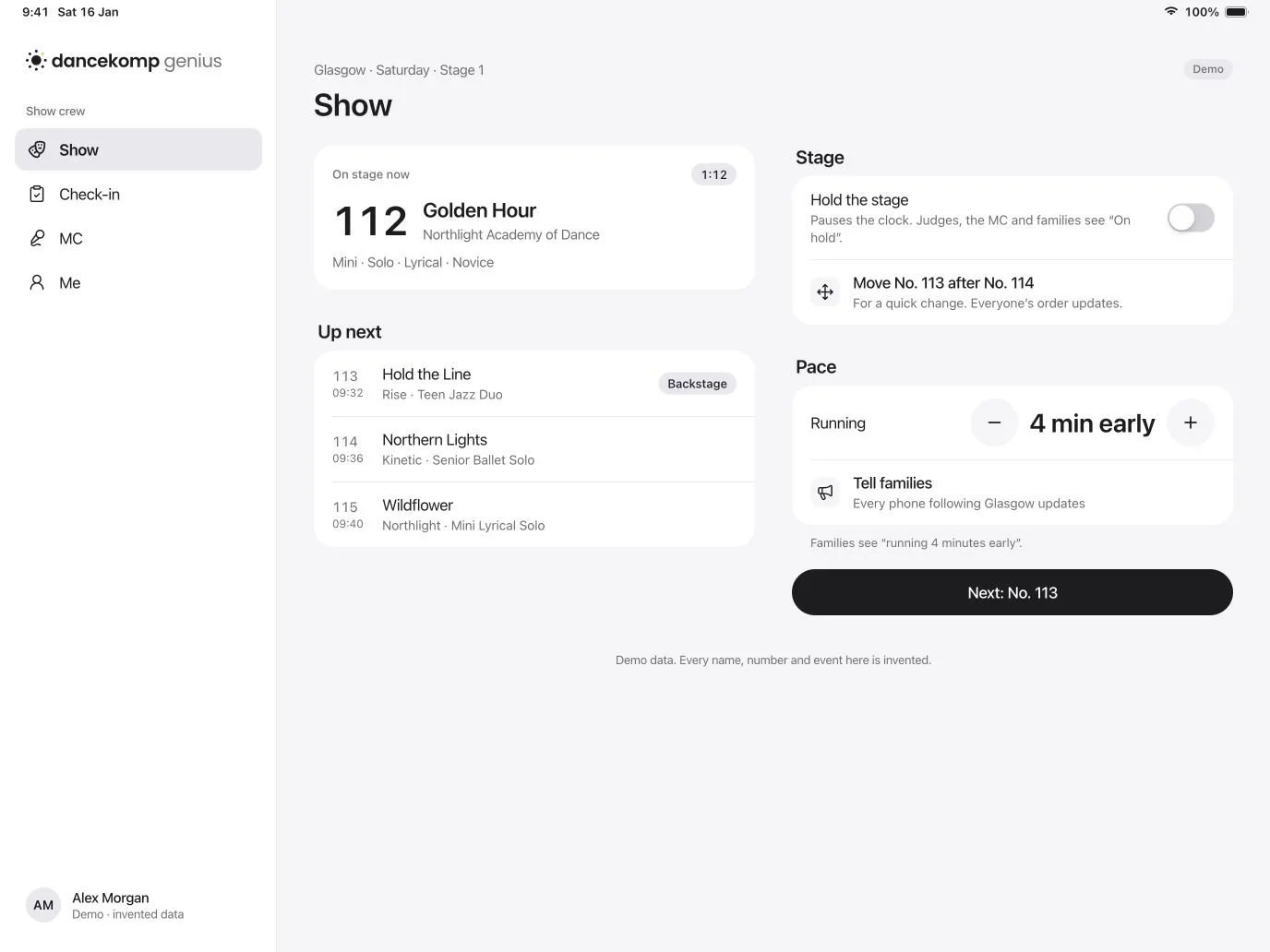
DanceKomp Genius on iPhone: the stage manager’s Show tab for Glasgow, Stage 1: on stage now, up next, hold the stage and tell families about a change of pace. Demo data.
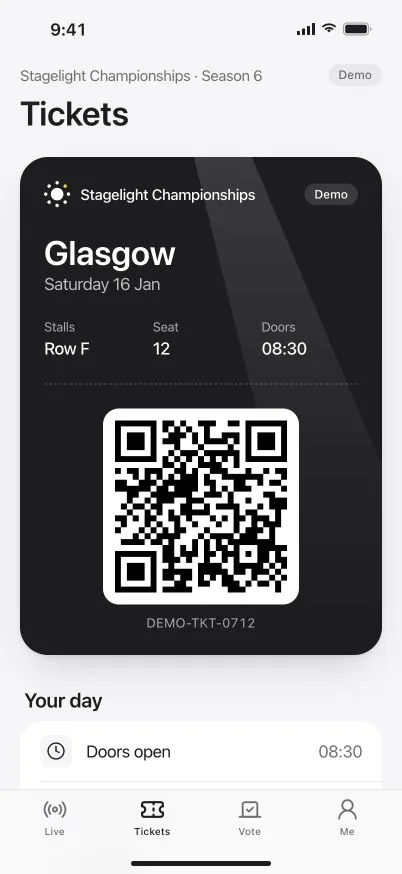
DanceKomp Genius on iPhone: an audience ticket for Glasgow on Saturday, with the seat, door and first-routine times. Demo data.

On iPad and Mac

Big screens for
the big jobs.

Backstage and at the judges’ table on iPad, the whole season on Mac.
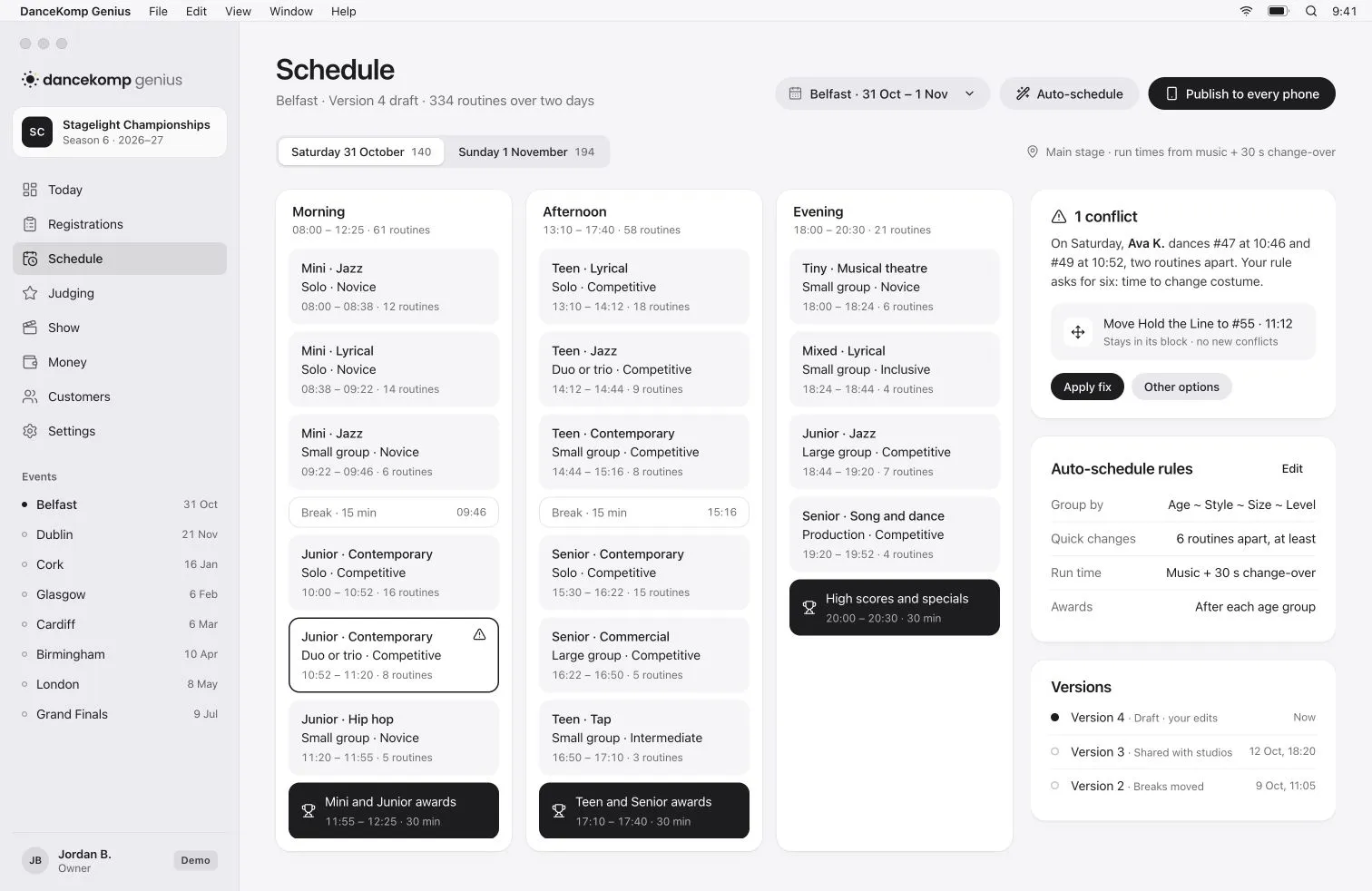
DanceKomp Genius on Mac: the organiser’s schedule for Belfast: sessions on each stage with breaks and awards, a conflict to fix and the auto-schedule rules. Demo data.
DanceKomp Genius on iPad: show control on iPad for Glasgow, Stage 1: on stage now, the routines up next and the stage controls. Demo data.

Questions

Which app do I need?
Just one. DanceKomp Genius shows what your role needs, and one Genius ID can hold several roles.
Is the app free?
Yes, for studios, dancers, families, judges, crew and audiences. Organisers pay per routine entered. Pricing
Does it work without signal?
Judging and show control keep working offline and sync as soon as the connection returns.
Can I use it without installing anything?
Yes. Open the web app in any modern browser and sign in with your Genius ID. Open the web app
What about Android, Windows and HarmonyOS?
Android has the same app, from Google Play. On Windows, install the web app from your browser. On HarmonyOS 4, use the Android app; on every version, the web app works in the browser.

Your whole competition, in your pocket.

Create your Genius ID, then sign in on every screen you own.